
Budget Spreadsheet Template | Personal Finance Tracker for Google Sheets
Budget Spreadsheet Template | Personal Finance Tracker for Google Sheets
$ 3,90
Editable budget spreadsheet for Excel and Google Sheets. Track income, expenses, and investments with automatic charts, 12 monthly tabs, and a full investment dashboard. No formulas needed. Instant download.
Specifications
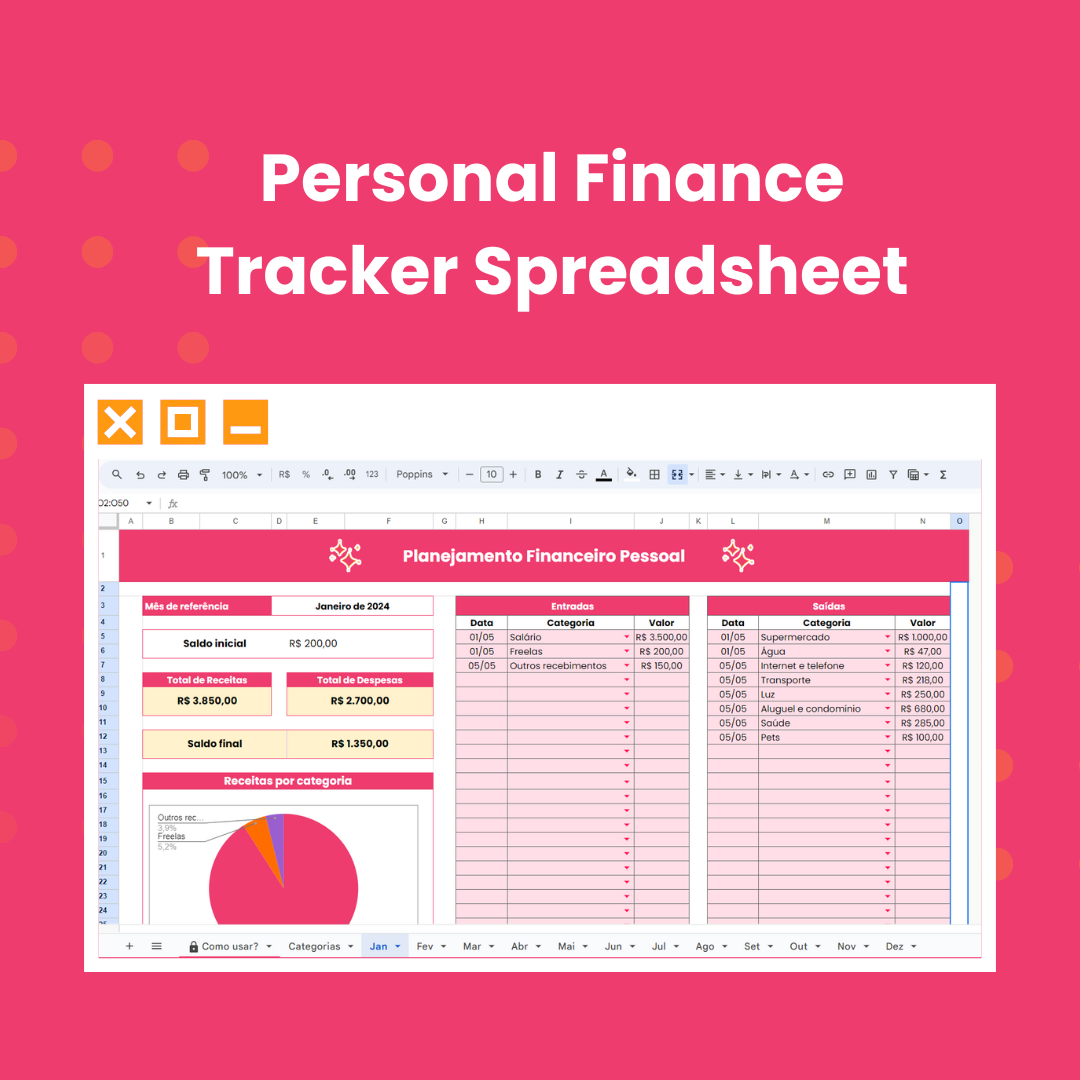
Take control of your money with the Budget Spreadsheet Template, an editable personal finance tracker for Excel and Google Sheets that does the heavy lifting for you. Automatic calculations, visual charts, 12 monthly tabs, and a full investment dashboard, all in one file.
Whether you're budgeting for the first time or looking for a smarter way to track your finances, this budget spreadsheet gives you a clear picture of where your money goes, every single month, without touching a single formula.
Who is this budget spreadsheet for?
- Anyone building their first monthly budget and looking for a simple starting point
- People who want to track income and expenses without complicated apps or bank connections
- Those managing savings goals, debt payoff, or investments in one organized place
- Anyone who wants a fully customizable finance tracker they actually own
Why this budget template stands out: No subscriptions. No bank connections required. No data sharing. No formulas to set up. Just download, open in Google Sheets or Microsoft Excel, and start budgeting right away.
What's inside:
- Home dashboard with annual revenue goal, investment goal, and quick navigation to any month
- 12 monthly tabs (January through December) with income and expense tracking
- Automatic charts for income and expenses by category, generated instantly
- Investment dashboard to track monthly contributions, annual goal, and percentage achieved
- Customizable categories pre-filled and ready to edit
- 100% automatic calculations, no formulas needed
Specifications
- File format: Google Sheets (.xlsx also available for Excel)
- Compatibility: Microsoft Excel and Google Sheets
- Categories: Fully customizable income and expense categories
- Charts: Automatic, generated instantly, no manual setup
- Dashboard: Investment and savings tracking included
- Calculations: 100% automatic
- Access: Lifetime, re-download anytime from your account
- Language: English
How Will I Receive My File?
Right after checkout! Your budget spreadsheet template will be available for instant download on the order confirmation screen. You'll also receive an email with your download link so you can access it anytime.
To use it in Google Sheets: Open the file and click File > Make a Copy to save your own editable version to Google Drive. You'll need to be logged into a Google account to make the copy.
To use it in Microsoft Excel: First, open the file in Google Sheets and make a copy (you'll need a Google account for this step). Then go to File > Download > Microsoft Excel (.xlsx) and open the downloaded file in Excel.
Once your copy is ready, read the instructions on the first tab and start tracking your finances right away. No waiting, no shipping.
Recommended apps
Apple Notes, GoodNotes, Notability, Samsung Notes, Noteshelf, Xodo
Learn more: Best apps for digital planning on tablet
Reviews
There are no reviews yet.